If you have ever caught yourself staring at an overwhelming to-do list while simultaneously juggling emails, client deadlines, and side projects, you already know what burnout feels like. For years, the common advice was simple: work harder, stay focused, and push through. But in 2026, that approach is rapidly becoming obsolete. AI productivity tools have quietly entered the mainstream and are fundamentally reshaping how freelancers, entrepreneurs, students, and professionals get work done every single day. They are not just automating repetitive tasks — they are reducing mental fatigue, freeing up creative bandwidth, and delivering measurable time savings that translate directly into better outcomes.
The numbers tell a compelling story. According to research published by the Federal Reserve Bank of St. Louis, workers using generative AI reported saving approximately 5.4% of their work hours each week, which translates into a meaningful productivity boost across the entire workforce. Meanwhile, McKinsey’s research indicates that AI could add $4.4 trillion in productivity growth potential from corporate use cases alone. At Quick AI US, we have spent months hands-on testing the most promising AI tools available today so that you do not have to waste time separating marketing hype from real-world performance. This guide is built entirely on firsthand experience, cross-referenced with user feedback from platforms like Reddit and G2 to ensure objectivity and accuracy.
Whether you are a freelancer looking to cut down on admin drudgery, a student trying to organize research more efficiently, or a business owner searching for free AI tools that actually deliver results, this comprehensive breakdown will help you find the right fit for your workflow.
How We Selected and Tested the Best AI Productivity Tools in 2026
Choosing the right AI tools is not about chasing the latest buzzword or the biggest marketing campaign. It is about finding tools that genuinely deliver for real people in real-world scenarios. At Quick AI US, our evaluation process was built on three core pillars. First, we examined performance — meaning how reliably each tool completes tasks without errors, hallucinations, or frustrating inconsistencies. Second, we assessed usability, asking a straightforward question: can someone with no technical background pick this up and start using it within a day? Finally, we evaluated value, weighing the cost of each tool against the actual hours saved per week.
Every tool on this list was signed up for individually, tested on genuine workflows such as drafting articles, automating email sequences, organizing project notes, and summarizing meeting recordings. No sponsored placements exist in this guide. Every recommendation is earned through performance. Beyond our own hands-on experience, we cross-referenced findings with community-driven feedback from Reddit, G2, and other independent review platforms to make sure our assessments reflect a broad consensus rather than a single perspective.
The Top 7 Best AI Productivity Tools — At a Glance
Before diving into detailed reviews, here is a quick-reference summary of the top picks, organized by the specific problem each one solves best:
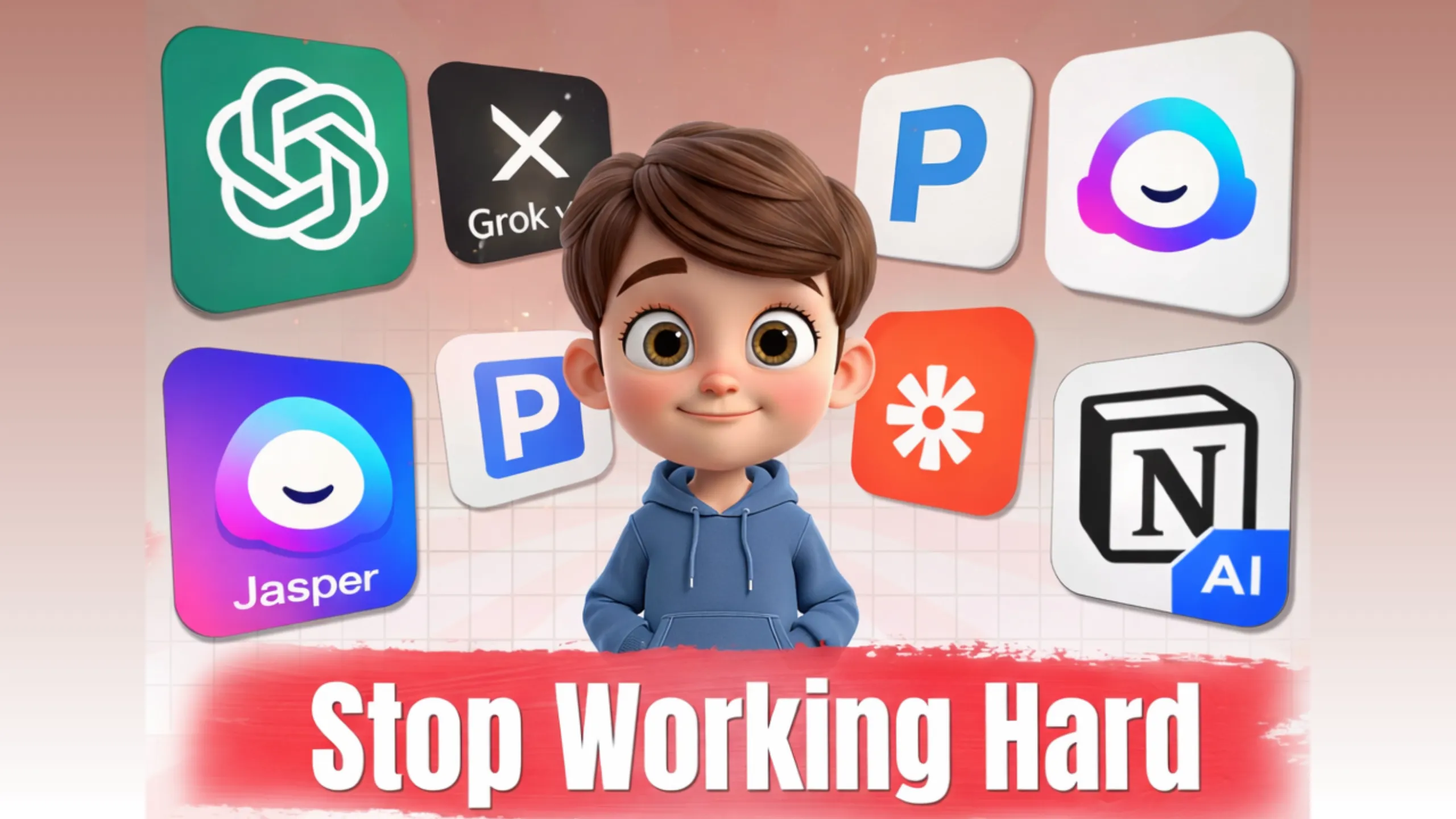
- Best for creative brainstorming: Grok — its conversational tone makes idea generation feel natural and engaging.
- Best all-around AI assistant: ChatGPT — unmatched versatility across writing, coding, planning, and research.
- Best for content creation and SEO: Jasper — purpose-built for marketers and writers producing high-volume content.
- Best for workflow automation: Zapier — connects thousands of apps with zero coding required.
- Best for organization and project management: Notion AI — turns scattered notes into structured, actionable systems.
- Best for research and fact-checking: Perplexity — delivers sourced, cited answers faster than traditional search engines.
- Best for meeting productivity: Fireflies — automatically transcribes calls and extracts action items.
Best Chat-Based AI Productivity Tools
Chat-based AI tools function as always-available digital colleagues. You ask a question, describe a problem, or outline a goal, and the tool responds with actionable guidance, drafts, or step-by-step plans. For freelancers and business owners who need quick answers without leaving their workflow, these are the most versatile category of AI productivity tools available in 2026.
Grok — Best AI Tool for Creative Brainstorming
Grok, developed by xAI, stands out in an increasingly crowded AI landscape because of the way it communicates. Unlike tools that respond with stiff, overly formal text, Grok engages in a way that feels genuinely conversational. When tested for brainstorming blog ideas and refining content outlines for Quick AI US, it delivered step-by-step plans that saved roughly two hours per week — without any prompts needing to be overly specific or technical. Grok’s multimodal capabilities and real-time reasoning, powered by the Grok 4 model, give it an edge for users who need creative sparks alongside practical execution advice. It also integrates with platforms like X, which means it can pull in current, up-to-date information to inform its responses.
That said, Grok is not without limitations. If your prompts are too open-ended, responses can become verbose and lose focus. For users handling highly sensitive business data, it is worth reviewing xAI’s privacy policies carefully before integrating Grok into any client-facing workflow.
Grok Pros and Cons
| Pros | Cons |
|---|---|
| Engaging, human-like conversational tone that keeps sessions productive | Can become overly verbose when prompts lack specificity |
| Proactively flags ethical concerns and potential biases | Privacy considerations for sensitive or confidential data |
| Integrates well with productivity apps for building automation ideas | Advanced integrations have a learning curve for beginners |
Ratings — Performance: 4.5/5 | Usability: 4/5 | Value: 4.5/5
Best suited for: Creative professionals and freelancers who need an AI that sparks ideas without feeling robotic or generic.
Pricing: A free tier is available with basic access. The Pro plan starts at $8/month (or $80/year) and unlocks priority responses and advanced features. Enterprise plans begin at $20 per user per month.
ChatGPT — Best All-Around AI Productivity Tool
ChatGPT remains the single most versatile AI tool available in 2026, and for good reason. Powered by GPT-5 and advanced reasoning models, it handles an extraordinary range of tasks — from drafting marketing plans and summarizing research to writing code and organizing project timelines. During testing with a small business client’s marketing strategy, ChatGPT produced a detailed outline in under five minutes. The caveat, as with any AI, is that occasional inaccuracies still occur, meaning a human review step remains essential for any high-stakes output.
For freelancers and small business owners, ChatGPT’s community of custom GPTs is a significant advantage. Users have built specialized assistants tailored to niches like freelance invoicing, social media content scheduling, and even personal productivity coaching. The tool’s response speed is consistently fast, even on mobile devices, making it practical for on-the-go use. Reports indicate that over 92% of Fortune 500 companies now have employees actively using ChatGPT, underscoring its reliability across industries.
ChatGPT Pros and Cons
| Pros | Cons |
|---|---|
| Exceptionally versatile across writing, coding, research, and planning | Occasional inaccuracies require human fact-checking |
| Large ecosystem of custom GPTs built for specific professional niches | Premium features are locked behind paid subscription tiers |
| Fast response times across desktop and mobile platforms | Data privacy remains a concern — always anonymize sensitive inputs |
Ratings — Performance: 4.5/5 | Usability: 5/5 | Value: 4/5
Best suited for: Small business owners and professionals who need a single AI assistant capable of handling multiple types of tasks without app-switching.
Pricing: A free version is available with basic functionality. The Plus plan is priced at $20/month (or $200/year). Team and Enterprise plans start at $25 per user per month.
Best AI Writing Tools for Content Creators
For anyone producing written content on a regular basis — whether blog posts, marketing copy, email campaigns, or reports — AI writing tools remove the friction of staring at a blank page. The best tools in this category do more than generate text; they help maintain brand consistency, suggest SEO-friendly structures, and cut the time spent on drafts by a significant margin.
Jasper — Best AI Tool for Long-Form Content and SEO Writing
Jasper was specifically designed with content marketers in mind, and its performance reflects that focus. When tested for generating structured blog sections with keyword integration, Jasper delivered drafts that required only light editing to match a professional tone. The “brand voice” feature is particularly valuable — once configured, it learns the stylistic preferences of your organization and applies them consistently across outputs. For teams producing content at scale, the collaboration features allow multiple writers to work within the same platform without version conflicts.
The trade-off is that Jasper’s output can lean toward generic phrasing if the brand voice settings are not carefully customized. Additionally, advanced analytics and deeper SEO integration are reserved for higher pricing tiers, which can feel limiting for smaller teams working on tight budgets. Data usage policies should also be reviewed, as user-generated content may be incorporated into model training unless explicitly opted out.
Jasper Pros and Cons
| Pros | Cons |
|---|---|
| Strong SEO optimization with built-in keyword suggestions and content structuring | Output can feel generic without thorough brand voice customization |
| Pre-built templates for blogs, emails, and social media posts accelerate workflow | Advanced analytics and deeper integrations require higher-tier plans |
| Collaboration features support team-based content production | User data may be used for model training unless opted out |
Ratings — Performance: 4/5 | Usability: 4/5 | Value: 3.5/5
Best suited for: Content creators and digital marketers producing high volumes of written material on a consistent schedule.
Pricing: A free trial is available. The Creator plan starts at $39/month (or $390/year). The Pro plan is $59/month (or $590/year). Business pricing is available upon request.
Best AI Tools for Workflow Automation
Automation is where AI delivers the most dramatic time savings for professionals who spend hours each week on repetitive, low-value tasks. The core concept is straightforward: define a trigger event and set an automatic action, all without writing a single line of code. For freelancers and small businesses, this translates into recovered hours that can be redirected toward revenue-generating work.
Zapier — Best No-Code Automation Tool for Productivity
Zapier has long been the gold standard for connecting apps through automated workflows, and its 2026 updates have made it even more powerful. During testing, automating lead follow-up sequences for Quick AI US — connecting intake forms to email notifications and calendar reminders — took less than thirty minutes to configure and saved approximately four hours per week once active. The platform’s AI-powered suggestion engine, which observes your usage patterns and recommends automations you may not have considered, is a genuinely useful addition that lowers the barrier for first-time users.
Where Zapier can become frustrating is with more complex, multi-step automations involving niche or less popular apps. Integration bugs in these scenarios are not uncommon, and troubleshooting them can consume the time you originally aimed to save. For routine, high-volume tasks like invoicing and email follow-ups, however, Zapier is remarkably reliable.
Zapier Pros and Cons
| Pros | Cons |
|---|---|
| Massive app ecosystem enabling connections across thousands of platforms | Free tier limits automation capacity to basic use cases |
| AI-powered automation suggestions make initial setup intuitive | Occasional bugs with niche or less-supported app integrations |
| Consistently reliable for routine, high-frequency tasks | Multi-step automations involve a noticeable learning curve |
Ratings — Performance: 4.5/5 | Usability: 4/5 | Value: 4.5/5
Best suited for: Freelancers and small business owners who spend significant time on repetitive administrative tasks like invoicing, lead management, and email follow-ups.
Pricing: A free plan is available for up to 100 tasks per month. The Starter plan is $19.99/month. Professional plans start at $49/month. Team and Company tiers begin at $69/month, with annual discounts available across all plans.
Best AI Tools for Organization and Project Management
Keeping a complex workload organized without losing critical information is one of the most common pain points for professionals in 2026. AI-powered organization tools have evolved well beyond simple note-taking apps. Today’s best options synthesize scattered information — meeting notes, task lists, deadlines, and reference material — into coherent, actionable systems.
Notion AI — Best Tool for Smart Note-Taking and Project Management
Notion AI transforms what was once a powerful but manually intensive note-taking platform into a genuinely intelligent workspace. During testing, feeding it a collection of scattered freelance project notes resulted in an organized dashboard complete with auto-generated summaries and suggested next steps — all within minutes. The tool excels at reducing the cognitive overhead of managing multiple projects simultaneously, which is exactly the kind of friction that compounds into burnout over time.
The initial setup experience, however, is a common stumbling block. Notion AI’s flexibility is both its strength and its weakness: the sheer number of ways to configure a workspace means that new users often spend significant time experimenting before finding a system that clicks. Performance can also slow noticeably when pages and databases grow large, which is worth considering for teams with extensive historical data.
Notion AI Pros and Cons
| Pros | Cons |
|---|---|
| All-in-one platform for notes, databases, project wikis, and task management | Steep initial learning curve due to the breadth of configuration options |
| AI automatically generates summaries and prioritizes action items | Page load speed degrades with large amounts of stored data |
| Free tier available for personal and individual use | Relies on cloud-stored user data for ongoing model improvements |
Ratings — Performance: 4/5 | Usability: 3.5/5 | Value: 5/5
Best suited for: Individuals and teams who need a single, flexible platform to replace multiple disconnected tools.
Pricing: A free personal plan is available. The Plus plan is $8 per user per month. Business plans start at $15 per user per month. Enterprise pricing is available upon request.
Best AI Tools for Research and Information Gathering
Effective research used to mean opening dozens of browser tabs, scanning through pages of results, and manually piecing together information from multiple sources. AI research tools have compressed that process dramatically, delivering cited, synthesized answers in seconds.
Perplexity — Best AI Tool for Accurate, Source-Backed Research
Perplexity occupies a unique position in the AI productivity landscape because it prioritizes accuracy and transparency above all else. Every answer it generates includes cited sources, allowing users to verify claims independently — a critical feature for students, researchers, and professionals who cannot afford to build on unreliable information. During testing for gathering tool-specific statistics and pricing data, Perplexity consistently outperformed traditional search engines in both speed and relevance, often returning usable, well-organized answers in under thirty seconds.
The trade-off is that the free version imposes query limits that can become restrictive for heavy daily users. Additionally, responses on highly complex or nuanced topics can take noticeably longer to generate, and the academic tone of its outputs is not always ideal for casual or creative use cases.
Perplexity Pros and Cons
| Pros | Cons |
|---|---|
| Every response includes cited sources, dramatically reducing fact-check time | Free tier limits the number of queries available per day |
| Conversational interface supports natural follow-up questions | Response speed slows on highly complex or multi-layered topics |
| Pro mode unlocks deeper, more comprehensive research capabilities | Searches are logged, which is a consideration for privacy-sensitive users |
Ratings — Performance: 4.5/5 | Usability: 4.5/5 | Value: 4/5
Best suited for: Students, researchers, and professionals who need fast, reliable, verifiable information without spending hours on manual research.
Pricing: A free plan with basic access is available. The Pro plan is $20/month (or $200/year). Enterprise plans start at $40 per user per month.
Best AI Tools for Meeting Productivity
Virtual meetings have become a defining feature of modern work, yet the post-meeting process — transcribing notes, identifying action items, and distributing summaries — often consumes as much time as the meeting itself. AI meeting tools solve this problem by handling the documentation automatically.
Fireflies — Best AI Tool for Meeting Transcription and Action Items
Fireflies integrates directly with platforms like Zoom and Microsoft Teams, joining meetings automatically to record, transcribe, and analyze conversations in real time. During testing with a client call, the transcription accuracy was consistently high, and the auto-highlighted action items matched what would have been manually noted. The tool saved an estimated one to two hours per meeting cycle by eliminating the need for manual note-taking and follow-up drafting.
Audio quality remains a significant variable. In noisy or low-bandwidth environments, transcription errors increase, and the AI-generated summaries can reflect those inaccuracies. It is also worth noting that Fireflies notifies all meeting participants that recording is active, which is both an ethical strength and a practical consideration for sensitive discussions.
Fireflies Pros and Cons
| Pros | Cons |
|---|---|
| Seamless integration with Zoom, Teams, and other major video platforms | Transcription accuracy depends heavily on audio quality |
| AI-generated summaries include sentiment analysis and action item extraction | Unlimited transcript storage requires a paid subscription |
| Searchable transcripts make past meeting content instantly accessible | Custom bot configurations involve a learning curve |
Ratings — Performance: 4/5 | Usability: 4/5 | Value: 4/5
Best suited for: Small and mid-size teams that rely heavily on virtual meetings and need to reduce post-meeting administrative overhead.
Pricing: A free plan with limited storage is available. The Pro plan is $10 per user per month. Business plans start at $19 per user per month. Enterprise pricing is available upon request.
Full Comparison: Top AI Productivity Tools in 2026
| Tool | Best For | Key Features | Starting Price | Performance / Usability / Value | Free Tier? |
|---|---|---|---|---|---|
| Grok | Creative brainstorming | Conversational tone, real-time reasoning, app integrations | $8/month | 4.5 / 4 / 4.5 | Yes |
| ChatGPT | Versatile task handling | Custom GPTs, advanced reasoning, multi-platform speed | $20/month | 4.5 / 5 / 4 | Yes |
| Jasper | Long-form SEO content | Brand voice, SEO templates, team collaboration | $39/month | 4 / 4 / 3.5 | Trial |
| Zapier | No-code workflow automation | 6,000+ app integrations, AI-suggested automations | $19.99/month | 4.5 / 4 / 4.5 | Yes |
| Notion AI | Organization and project management | Auto-summaries, databases, flexible wikis | $8/user/month | 4 / 3.5 / 5 | Yes |
| Perplexity | Research and fact-checking | Cited answers, conversational follow-ups, deep research mode | $20/month | 4.5 / 4.5 / 4 | Yes |
| Fireflies | Meeting transcription | Action item extraction, sentiment analysis, searchable logs | $10/user/month | 4 / 4 / 4 | Limited |
The right tool depends entirely on where your time is actually being lost. If writing is your primary bottleneck, Jasper will deliver more targeted value than a generalist tool like ChatGPT. If repetitive admin tasks are consuming your mornings, Zapier will return those hours faster than any other option on this list. The key is to match the tool to a specific problem rather than adopting technology for its own sake.
How to Choose the Right AI Productivity Tool for Your Needs
The sheer volume of AI tools available in 2026 can feel paralyzing. The most effective approach is to start narrow. Identify the single workflow that consumes the most time in your week — whether that is writing, research, meeting follow-ups, or task management — and select the tool purpose-built for that problem. Free tiers and trials exist for every tool on this list, so there is no financial risk in testing before committing. Once a tool becomes genuinely integrated into your daily routine, you can layer in a second tool that addresses your next-biggest friction point. Building a productive AI stack is an iterative process, not a one-time purchase decision.
Frequently Asked Questions
What are the best free AI tools for productivity? Several top-tier options offer free plans with meaningful functionality. ChatGPT, Grok, Notion AI, and Zapier all provide free tiers that are genuinely useful for individuals and small teams. Perplexity also offers a free plan with basic research capabilities. The key is understanding what each free tier includes before assuming it covers your needs.
Which AI productivity tools work best for students? Students benefit most from tools focused on research organization and writing efficiency. Perplexity is excellent for gathering cited, reliable information quickly, while Notion AI helps manage coursework, notes, and deadlines in a single workspace. ChatGPT is also widely used by students for summarizing complex material and drafting initial outlines.
Are AI productivity tools worth the investment for small businesses? The data strongly supports their value. Research from Harvard Business Review indicates that task completion time can drop by as much as 56% when professionals use AI tools effectively. For small businesses where every hour counts, even a modest time savings across a team of five translates into hundreds of recovered work hours per year.
What are the best AI tools for office work and business productivity? For office environments, the most impactful combination typically includes ChatGPT for general-purpose assistance, Zapier for automating repetitive workflows, and Notion AI for keeping projects and documentation organized. Microsoft Copilot is also worth considering for teams already embedded in the Microsoft 365 ecosystem.
How do AI productivity tools improve work efficiency? AI tools improve efficiency by handling tasks that are time-consuming but cognitively low-value: drafting routine emails, summarizing long documents, organizing scattered notes, and automating repetitive processes. By offloading these tasks, professionals can redirect their attention toward strategic, creative, and high-impact work.
Final Thoughts
AI productivity tools are no longer a niche experiment or a luxury for tech enthusiasts. In 2026, they are a practical necessity for anyone who wants to work smarter without burning out. The seven tools reviewed in this guide — Grok, ChatGPT, Jasper, Zapier, Notion AI, Perplexity, and Fireflies — each solve a specific, well-defined problem. None of them are perfect, and all of them improve significantly when used with clear, intentional prompts. The most productive professionals in 2026 are not the ones with the most tools; they are the ones who have chosen the right tools and integrated them deliberately into their existing workflow.
At Quick AI US, we are committed to helping individuals and businesses navigate the AI landscape without the overwhelm. If you are ready to take the next step, explore our resources at Quickaius.com or book a free consultation to see how AI can be tailored to your specific workflow needs.