So, you’ve heard about using ChatGPT for your resume, right? It sounds pretty neat, like a shortcut to a better job application. But honestly, just typing “write me a resume” into the box isn’t going to cut it. You need to know how to talk to the AI, to give it the right instructions so it actually helps you. Think of it like giving directions – the clearer you are, the better the outcome. This guide is all about those specific ChatGpt prompts for resume building that will actually make a difference.
Key Takeaways
- Being super clear and specific in your ChatGpt prompts for resume requests gets you much better results than vague ones.
- You can keep chatting with ChatGPT to tweak and improve what it generates, making it fit your needs better.
- Giving ChatGPT lots of information, like your old resume and the job description, helps it create a more targeted document.
- Always, always check and edit what the AI gives you. Make sure it’s true to your experience and sounds like you.
- Use ChatGPT to help match your resume to specific job descriptions, which can really boost your chances.
Mastering ChatGPT Prompts for Resume Creation
When you’re trying to get ChatGPT to help with your resume, being specific is the name of the game. Think of it like giving directions; if you just say “go that way,” you won’t get very far. But if you say “turn left at the big oak tree, then go two blocks,” you’re much more likely to end up where you want to be. The same applies here. A vague prompt like “write me a resume” will get you something, sure, but it’ll probably be pretty generic. You’ll end up spending more time fixing it than if you’d just started from scratch.
Understanding the Power of Specificity in Prompts
The more details you give ChatGPT, the better the output will be. It’s like feeding a chef all the ingredients and a recipe versus just telling them to “make food.” You want to provide your job title, any specific achievements you’re proud of, the tools you’ve used (like specific software or equipment), and the kind of job you’re aiming for. This helps the AI understand your unique situation and tailor its suggestions accordingly. Don’t be afraid to list out your skills, past roles, and even your career goals. The more information it has, the more it can help you create a resume that actually fits you.
Leveraging Conversational Refinement for Better Results
ChatGPT is designed to be a conversation partner. This means you don’t have to accept the first thing it gives you. If you like a section but think it could be stronger, just ask it to tweak it. For example, you could say, “I like this summary, but can you make it sound more active by focusing on the results I achieved?” Or, “Can you combine the ideas from these two bullet points into one stronger statement?” This back-and-forth process is key to getting the AI to produce text that truly reflects your experience and sounds like you. It’s a process of asking, reviewing, and asking again until it’s just right.
Providing Comprehensive Information for Tailored Outputs
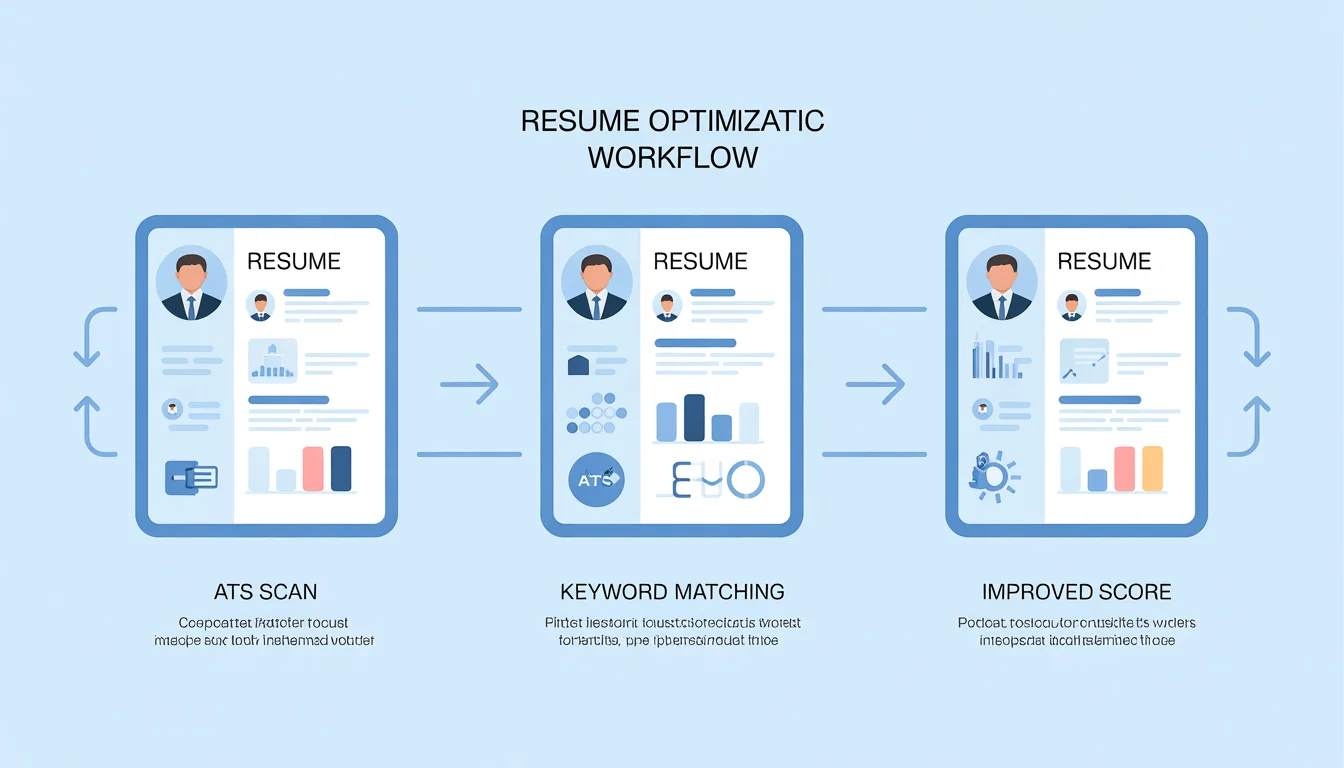
To get the most out of this tool, you need to give it all the puzzle pieces. If you have an old resume, copy and paste it into the chat. If you’re applying for a specific job, paste that job description in too. The more context you provide, the better ChatGPT can help you tailor your resume for that particular role. It can help you identify keywords and phrases that are common in job postings for your target industry, which is super helpful for getting past those automated application systems. You can even use it to help you create a comprehensive resume from scratch if you’re starting with a blank page.
Remember, ChatGPT is a tool to assist you. It can generate text and suggest ideas, but it doesn’t know your career history or your personal voice. Always review and edit its output to make sure it’s accurate, authentic, and truly represents you. Don’t just copy and paste blindly; make it your own.
Building Your Resume From Scratch with AI
Starting a resume from zero can feel like staring at a blank wall. But with ChatGPT, you can get a solid first draft going pretty quickly. The trick is to give it enough detail so it doesn’t just spit out generic stuff. Think of it like telling a friend about your work history – the more you share, the better they can describe it.
Generating a Foundational Resume Draft
To get a basic resume outline, you need to feed ChatGPT your core information. This includes your name, contact details, education, and a rundown of your work experience. Don’t hold back on the details here. List your previous job titles, the companies you worked for, and the dates you were there. Also, mention any significant projects or responsibilities you had. The more you provide, the more the AI has to work with. It’s like giving the AI the building blocks for your career story.
Here’s a prompt to get you started:
“I need a resume draft. Here’s my information: [Your Name], [Your Location], [Your Phone Number], [Your Email Address]. I graduated from [University Name] with a degree in [Your Major] in [Year]. My work history includes: [Job Title 1] at [Company A] from [Start Date] to [End Date], where I was responsible for [briefly list responsibilities]. [Job Title 2] at [Company B] from [Start Date] to [End Date], where I [briefly list responsibilities]. I’m looking for a role as a [Target Job Title]. Please create a one-page resume draft based on this information.”
Emphasizing Key Skills and Accomplishments
Once you have that initial draft, you’ll want to make sure your most important skills and achievements shine through. ChatGPT can help you rephrase your responsibilities into strong accomplishment statements. Instead of just saying you ‘managed projects,’ you can ask it to turn that into something like ‘Successfully managed 5 cross-functional projects, completing them 10% under budget.’ This shows impact. You can also ask it to highlight specific transferable skills that are relevant to the jobs you’re targeting.
Consider using a prompt like this:
“Review my previous role as [Job Title] at [Company]. My main responsibilities were [list responsibilities]. Please rewrite these into 3-4 bullet points that highlight my accomplishments, using action verbs and quantifiable results where possible. Focus on skills like [Skill 1] and [Skill 2].”
Tailoring for Specific Roles and Industries
This is where AI really shines. You can’t just use one resume for every job. You need to tweak it. If you’re applying for a marketing role, you’ll want to emphasize different things than if you’re applying for a software development position. Provide ChatGPT with the job description for the role you’re interested in. Then, ask it to adjust your draft resume to better match the requirements and language used in that description. This helps your resume get noticed by both human recruiters and applicant tracking systems (ATS). You can find great tips on how to tailor your resume at AI prompts for resume enhancement.
For example, you could say:
“Here is a job description for a [Target Job Title]: [Paste Job Description Here]. Please revise my current resume draft to emphasize the skills and experiences most relevant to this specific role. Use keywords from the job description and adjust the summary to align with the company’s focus.”
Enhancing Your Existing Resume with ChatGPT
So, you’ve got a resume already, but it’s feeling a little… stale? Maybe it’s not quite hitting the mark for the jobs you’re applying for. That’s where ChatGPT can really step in and help polish things up. Think of it as a super-smart assistant that can take your current document and make it shine.
For Resume Templates Click Here
Strengthening Your Resume Summary
Your resume summary is like your elevator pitch. It’s the first thing a hiring manager reads, so it needs to be strong. If yours is a bit generic, ask ChatGPT to give it some punch. You can feed it your current summary and the job description you’re interested in, and then ask it to rewrite the summary to better match the role. The goal is to make it immediately clear why you’re a good fit. For example, you could prompt it like this: “Here’s my current resume summary and a job description for a [Job Title]. Please rewrite my summary to highlight my experience in [Specific Skill 1] and [Specific Skill 2], making it more impactful for this role.”
Optimizing Experience Sections with Metrics
Numbers talk. Seriously. Instead of just saying you
Advanced ChatGPT Prompting Strategies
So, you’ve got the basics down, and your resume is looking pretty good. But what about those trickier situations? Maybe you’re looking to switch careers entirely, or perhaps you have a bunch of certifications and projects that aren’t fitting neatly into your current resume structure. This is where we get a bit more strategic with our AI assistant.
Crafting Prompts for Career Pivots
Switching fields can feel like starting over, but your past experience often holds more value than you think. The key is to frame it correctly. When prompting ChatGPT, be explicit about your target industry and the transferable skills you possess. Don’t just list old job duties; explain how those duties translate to the new role.
For example, instead of saying “Managed social media accounts,” try something like: “I’m transitioning from marketing to project management. In my previous role, I managed social media campaigns, which involved coordinating with multiple stakeholders, tracking deadlines, and reporting on campaign performance. Please highlight how these skills are relevant for a project manager role, focusing on organization, communication, and results tracking.”
Incorporating Transferable Skills Effectively
This ties right into career pivots. Think about what you’ve done that’s useful in any job. Problem-solving, communication, teamwork, adaptability – these are gold. When you’re prompting ChatGPT, give it a list of these skills and ask it to weave them into your experience descriptions. You can even ask it to create a dedicated section for them if your target role heavily emphasizes them.
Here’s a way to think about it:
- Communication: Did you present findings, write reports, or train colleagues?
- Problem-Solving: Did you identify an issue and implement a solution?
- Leadership: Did you guide a team, mentor a junior member, or take initiative on a project?
The goal is to show how your past actions demonstrate capabilities needed for future success.
Highlighting Certifications and Projects
Certifications and personal projects can really make you stand out, especially if they’re relevant to the job you want. For certifications, provide the full name, the issuing body, and the completion date. If there was a significant project associated with it, mention that too.
For personal projects, describe what you built or accomplished, the technologies or skills you used, and the outcome. ChatGPT can help you phrase these concisely and impactfully. You might ask it to create a “Projects” section or integrate them into your experience if they directly relate to a past role.
When you’re dealing with unique achievements like certifications or side projects, be very clear with ChatGPT about what you want to emphasize. Don’t assume it knows the significance of a particular course or a passion project. Provide context and ask it to connect the dots for the hiring manager.
Remember, the more specific you are with your prompts, the better ChatGPT can assist you in tailoring your resume for career development. It’s about guiding the AI to reflect your unique journey accurately and effectively.
Ensuring Accuracy and Authenticity
Using ChatGPT to build your resume is a smart move, but it’s not a ‘set it and forget it’ kind of deal. Think of the AI as a really helpful assistant, not the boss. It can whip up drafts and suggest wording, but you’re the one who has to make sure everything is spot on.
Verifying AI-Generated Content
This is probably the most important step. ChatGPT can sometimes get things wrong, or maybe just a little off. It might misunderstand a project you worked on or slightly misrepresent a timeline. You need to go through every single sentence it generates and check it against what actually happened. Did you really reduce costs by 30%, or was it closer to 20%? Did that project wrap up last quarter, or was it the quarter before? It’s easy for the AI to make these small errors, especially if your initial prompts weren’t super detailed.
Personalizing AI Outputs for Your Voice
Another thing to watch out for is that the AI can sometimes sound a bit too polished, or maybe even a little robotic. Hiring managers can sometimes spot this. You want your resume to sound like you, not like a generic template. Read the generated text aloud. Does it sound like something you’d actually say? You might need to tweak some phrases, add a personal touch, or reword sentences to make them sound more natural and reflect your personality. It’s about making the AI’s work fit you, not the other way around.
Avoiding Generic or Cliché Language
AI models are trained on vast amounts of text, which means they can sometimes fall back on common phrases or buzzwords. You don’t want your resume to be full of them. Think about it: if everyone uses the same AI prompts, their resumes might start sounding pretty similar. That’s not going to help you stand out. You need to actively look for and remove any language that feels overused or vague. Instead of saying you ‘synergized cross-functional teams,’ try to describe what you actually did and what the result was. Specificity is key here. If the AI gives you something that sounds like a cliché, push it to be more specific or rewrite it yourself.
Strategic Use of ChatGPT for Job Applications
Applying for jobs can feel like sending your resume into a black hole sometimes, right? With so many people applying for the same roles, making your application stand out is tough. ChatGPT can really help here, especially when you’re trying to get your resume noticed by both people and those tricky applicant tracking systems (ATS).
Aligning Your Resume with Job Descriptions
This is where ChatGPT shines. Instead of just sending out the same resume everywhere, you can tailor it for each specific job. Think of it like this: you wouldn’t wear the same outfit to a wedding and a hiking trip, so why send the same resume? You need to show the employer you’re a good fit for their specific needs.
Here’s a simple way to approach this:
- Copy the Job Description: Get the full text of the job you’re interested in.
- Provide Your Resume: Paste your current resume into ChatGPT.
- Ask for Alignment: Prompt ChatGPT to compare your resume with the job description and suggest changes. You could say something like, “Review my resume and this job description. Highlight areas where my experience matches the requirements and suggest how I can rephrase my bullet points to better reflect the keywords used in the job posting.”
- Refine the Output: Look at the suggestions. Does it sound like you? Does it accurately represent your work? Make edits to ensure it’s truthful and reflects your unique contributions.
The goal is to make it obvious to the hiring manager that you’ve read the job description and understand what they’re looking for.
Suggesting Relevant Sections and Jargon
Sometimes, you might be missing a section that’s standard for a particular industry, or you might not be using the right industry terms. ChatGPT can help identify these gaps.
For example, if you’re applying for a marketing role, you might ask:
“What are common sections or skills that are usually included in a resume for a Digital Marketing Specialist role? Are there any specific marketing jargon or tools I should consider mentioning based on this job description?”
ChatGPT can then suggest things like adding a “Digital Marketing Portfolio” section or incorporating terms like “SEO optimization,” “content strategy,” or “social media analytics,” depending on the job details you provide. It can also help you phrase your experience using the language common in that field.
Tailoring for Multiple Opportunities
Applying for several jobs can be time-consuming. ChatGPT can speed up the process of customizing your resume for each application. Instead of starting from scratch every time, you can use your base resume and ask ChatGPT to adapt it.
Let’s say you have a general resume and you’re applying for two different types of roles:
- Role A: Focuses heavily on project management and team leadership.
- Role B: Emphasizes data analysis and technical skills.
You can provide ChatGPT with your base resume and the job description for Role A, asking it to rephrase your experience to highlight leadership and project management. Then, you can take the same base resume, provide the job description for Role B, and ask ChatGPT to emphasize your analytical and technical abilities. This iterative process allows you to create distinct, targeted resumes efficiently.
Remember, ChatGPT is a tool to assist you. It can generate great starting points and help you refine your language, but the final product needs to be authentic to you. Always review and edit its suggestions to ensure accuracy and to inject your personal voice. Your resume should tell your story, not an AI’s.
Wrapping It Up
So there you have it. Using ChatGPT for your resume might seem a little strange at first, but it’s really just another tool in your job search toolbox. Remember to be specific with your prompts, feed it all the right info, and most importantly, always double-check what it gives you. It’s not going to do all the work for you, but it can definitely make the process smoother and help you land that interview. Now go get ’em!
Frequently Asked Questions
Can ChatGPT really help me make a resume?
Yes! Think of ChatGPT as a super-smart helper. It can help you write your resume from scratch or make your old one much better. It’s especially good at making your resume fit the job you’re applying for by using the right words.
How do I get ChatGPT to write a good resume for me?
The trick is to be very clear with your instructions. Instead of just saying ‘write a resume,’ tell it exactly what you want. For example, mention the job title you’re going for, your experience, and any special skills you have. The more details you give, the better it will be.
What if ChatGPT writes something that isn’t quite right?
That can happen! ChatGPT might sometimes make things sound a bit too fancy or not exactly true to your experience. It’s super important to read everything it writes very carefully. You should always change it to make sure it sounds like you and is honest about your skills and what you’ve done.
Can ChatGPT help me update my old resume for a new job?
Absolutely. You can give ChatGPT your old resume and the job description for the new role. Then, ask it to help you change your resume to include keywords from the job posting and highlight the skills they’re looking for. It’s like getting a custom-made resume for each application!
Will my resume sound too robotic if a computer writes it?
There’s a chance it could, if you don’t check it. ChatGPT is great at giving you a solid draft, but you need to add your own personality. Make sure to tweak the words so it sounds like you and not like a robot wrote it. This makes it more believable and interesting.
What’s the most important thing to remember when using ChatGPT for my resume?
The most important thing is to use it as a tool, not as the final answer. Always review, edit, and personalize what ChatGPT gives you. Your resume needs to be truthful and reflect your unique experiences and voice. Think of it as a writing partner that needs your final approval.